

Windows devices
Make a Windows 11 device for your agent: a Windows PC of its own, in the background. How Castle gets Windows, Microsoft's terms, and what your agent can do in it.
By the end of this page you will know how to make a Windows device, and what to expect from it.
A Windows device is Windows 11 for Arm, running in the background and separate from your Mac. It is a good place to try a page or an app on Windows. Your agent can look at its screen and use it, and you open its window when you want to watch.
Make one
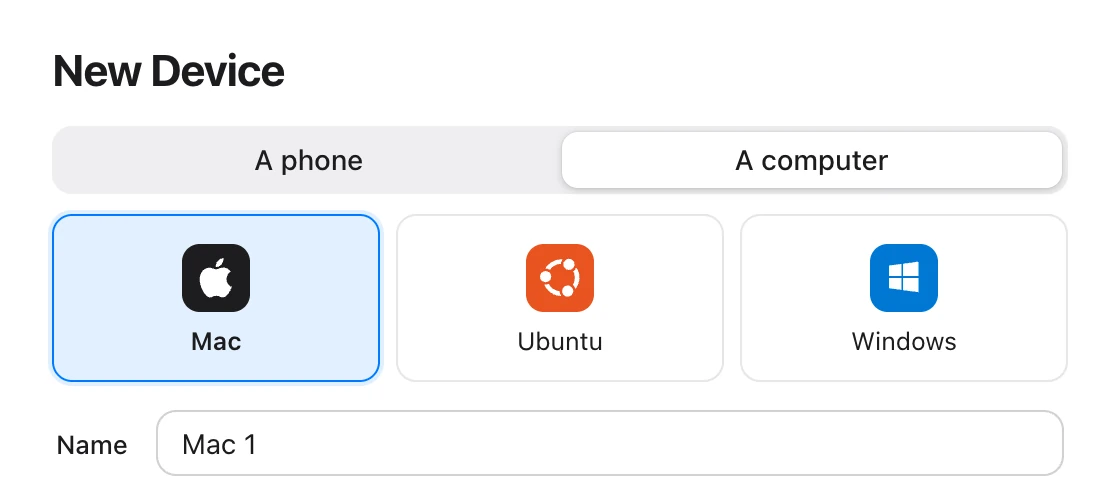
- Press New Device…, choose A computer, then Windows.
- Choose the Windows version, or keep the one Castle offers, then Create.
- Read Microsoft’s terms and accept them in Castle. Nothing is made until you do.
Castle gets Windows from Microsoft by itself. If you already have a Windows 11 for Arm disc image, choose Already have Windows? and pick the file instead. If Castle cannot reach Microsoft, for example when your Mac is offline, the setup waits at the step Windows disc image until you give it one.
The first Windows installs from Microsoft’s installer, so it takes a good while. Castle keeps what it made, so the next Windows device is ready much sooner. Castle shows each step while it works.
Use it
- Windows runs in the background. A device your agent asked for has no window until you press Open.
- Your agent can open apps and web pages, run commands in Command Prompt or PowerShell, move files in and out, and read, click and type on the screen.
- A web page opens in Microsoft Edge.
- Pause works on Windows, so you can stop it and pick up where it left off.
Limits
- No Make a Copy. Each copy of Windows would need its own license, so a Windows device has no copy.
- Snapshots only while it is off. Turn the device off first, then save a snapshot.
See Known limitations for the full list.